Falling Snow Effect in After Effects | No Plugins Needed
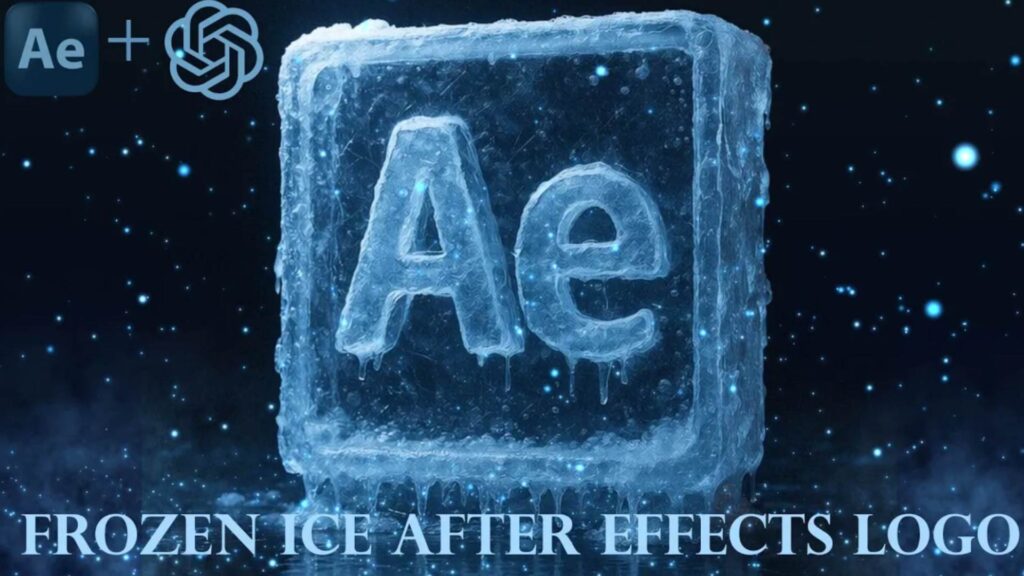
Prompt ChatGPT: _ _ _ _ _ _ _ _ _ _ _ Create a hyper realistic 3D render of this word ( Frozen Ice After Effects Logo ) made entirely of frozen ice. The ice should have frosted edges, translucent layers, internal cracks, icicles, snow buildup, and frozen droplets for realism. Use light blue to icy white tones with cold reflections and refractions, like glacier ice under cinematic winter lighting. Place the logo on a reflective wet floor with a solid dark background (no gradients). Apply cinematic volumetric lighting from the top and sides to create depth, shadows, and icy 3D reflections. Maintain the exact shape and proportions of the original logo with no distortions. The ice should fully wrap and cover the logo with high visual consistency. Final resolution: 4K. ASPECT RATIO 1920×1080 _________________________________________________________________________________________________ Prompt Sora: _ _ _ _ _ _ _ _ _ _ Create a cinematic 4K hyper realistic 3D animation of the After Effects logo fully made of frozen ice. The logo should have frosted edges, crystal-clear yet translucent surfaces, and detailed internal cracks for realism. Animate small frozen droplets gently falling, subtle melting icicles, and moving cold mist around the logo. The reflective wet floor should display dynamic shimmering reflections as the camera slowly pans and rotates for dramatic effect. Cinematic volumetric lighting with soft blue tones and realistic ice refractions. Add synchronized Arabic and English subtitles in the style of Nancy Kanqar, with soft glowing captions and smooth fade transitions, perfectly timed to the animation. Ultra-detailed, realistic textures, studio shot aesthetic. _________________________________________________________________________________________________ Do you want to turn your logo into a cinematic 3D frozen ice effect? ❄️ In this tutorial, you’ll learn how to create a Frozen Ice Logo in Adobe After Effects with a hyper-realistic 3D render style. We’ll cover how to add icy textures, reflections, shadows, and cinematic lighting to achieve a professional frozen look. 🔥 What you’ll learn: Transform any logo into 3D Add realistic frozen ice effects Cinematic lighting and reflections Export in stunning 4K quality ✨ Don’t forget to subscribe for more motion graphics and VFX tutorials!
Download starting in 30 seconds…
File downloaded